
Visit our portal
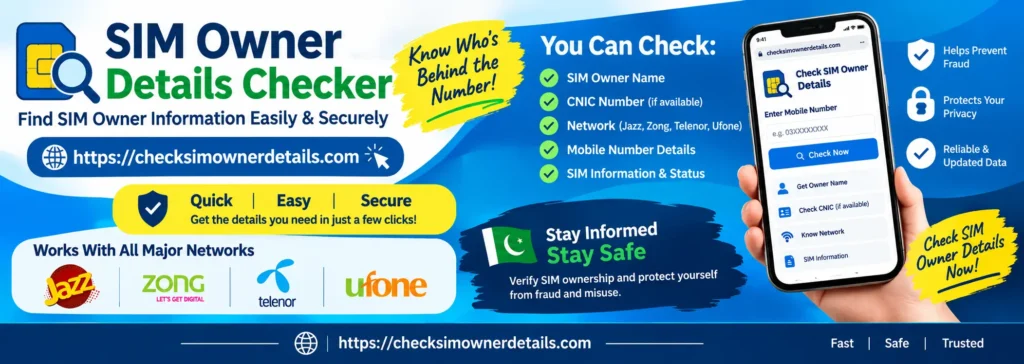
https://checksimownerdetails.com is a user-friendly platform in Pakistan for checking SIM owner details,To check sim owner details in Pakistan, send your own 13-digit CNIC without dashes to 668 or enter it on PTA’s website, cnic.sims.pk: both show how many SIMs each company has registered to that CNIC. Just bought a SIM? To check fresh sim owner details on it, text MNP to 667 from that SIM; the reply shows the name and CNIC it is registered to. No official service shows who owns a number you don’t hold. SIM information, and CNIC data.
It allows users to identify unknown callers, verify numbers, and access SIM information for free. The site aims to provide a smooth experience for all users and offers valuable information about SIM ownership verification. Our free SIM Owner Detail Checker tool allows users to enter their mobile number or 13-digit CNIC to determine the official PTA verification method for checking owner details. It helps individuals check the number of SIM cards registered to their CNIC and guides SIM verification and registration.
ہمارے پورٹل پر وزٹ کریں
https://checksimownerdetails.com پاکستان میں سم کے مالک کی تفصیلات اور سم کی تصدیق سے متعلق معلومات حاصل کرنے کے لیے ایک آسان اور صارف دوست پلیٹ فارم ہے۔پاکستان میں اپنی سموں کی ملکی چیک کرنے کے لیے اپنا 13 ہندسوں پر مشتمل CNIC نمبر بغیر ڈیش کے 668 پر SMS کریں، یا PTA کی ویب سائٹ cnic.sims.pk پر درج کریں۔ دونوں طریقوں سے آپ کو معلوم ہو سکتا ہے کہ آپ کے CNIC پر ہر موبائل کمپنی کی کتنی SIMs رجسٹرڈ ہیں۔اگر آپ نے ابھی نئی SIM خریدی ہے اور اس کی رجسٹریشن کی تفصیلات چیک کرنا چاہتے ہیں، تو اسی SIM سے MNP لکھ کر 667 پر SMS کریں۔ جواب میں اس SIM پر رجسٹرڈ نام اور CNIC کی معلومات فراہم کی جاتی ہیں۔کسی ایسے موبائل نمبر کے مالک کا نام معلوم کرنے کے لیے جس کی SIM آپ کے پاس موجود نہیں، کوئی سرکاری سروس دستیاب نہیں ہے۔ہماری ویب سائٹ صارفین کو نامعلوم کالز، نمبرز کی تصدیق اور SIM سے متعلق معلومات حاصل کرنے میں رہنمائی فراہم کرتی ہے۔ یہ پلیٹ فارم مفت معلومات اور آسان طریقہ کار کے ذریعے صارفین کو SIM کی ملکیت اور رجسٹریشن کی تصدیق کے بارے میں آگاہ کرتا ہے۔
ہمارا مفت SIM Owner Detail Checker ٹول صارفین کو اپنا موبائل نمبر یا 13 ہندسوں پر مشتمل CNIC درج کرنے کے بعد PTA کے سرکاری تصدیقی طریقہ کار کے بارے میں رہنمائی فراہم کرتا ہے۔ یہ ٹول صارفین کو اپنے CNIC پر رجسٹرڈ SIMs کی تعداد معلوم کرنے اور SIM کی تصدیق و رجسٹریشن کے طریقہ کار کو سمجھنے میں مدد دیتا ہے۔
Complete SIM Guide
Check SIM Owner Details
Use our free Sim Owner Detail Checker tool . Enter your own mobile number or your 13-digit CNIC official PTA verification method applies to check your owner details.SIM information services help people check how many SIM are registered to their CNIC and verify their mobile connections.
You can easily check SIM owner information by entering your mobile number or CNIC. All legal and privacy guidelines, and our platform is based on PTA-approved public information systems. The purpose of this service is to help users verify SIM ownership, avoid misuse, and stay informed about registered numbers linked to their CNIC Simply enter your number or CNIC in the search box and get the required owner details instantly. Our system is designed to provide accurate information with a smooth and secure experience for all users.SIM Information means the details linked with a mobile SIM card in Pakistan. Our goal is to make SIM information checking simple and accessible for everyone. We provide easy access to ownership-related details, SIM verification guidance, and registration information through a smooth and responsive platform.
Visit Our official portal checksimownerdetails.com
Use the official web portal to view SIM registrations associated with your identity.
- Open the official portal.
- Enter your CNIC.
- No CAPTCHA verification required.
- Completely free, fast, and secure.
- View operator-wise SIM information.
- Print or save the result if required.
- Free access from any browser.
Quick Answer: How to Check SIM Owner Details
If your goal is to check SIMs registered against your own CNIC, you can use the official PTA SIM Information System or the 668 SMS service.
Method 1 — Check SIMs Through 668
To check the SIM registration count associated with your CNIC:
- Open the SMS application on your phone.
- Enter your 13-digit CNIC number without dashes.
- Send the CNIC to 668.
- Wait for the response.
- Review the SIM information returned for your CNIC.
The 668 service is intended for checking SIMs associated with your own identity.
Method 2 — Check Online Through cnic.sims.pk
You can also use the official SIM Information System online.
Enter your CNIC information into the official portal and review the SIM information associated with your identity.
Official portal: cnic.sims.pk
This is generally more convenient than SMS when you want to perform a detailed self-check.
Method 3 — Verify a SIM Using 667
If you have a SIM database physically in your phone and want to verify its registration information, the 667 process is different from the 668 CNIC check.
A commonly used verification procedure is to insert the relevant SIM into your phone and send:
MNP
to:
667
The purpose of this check is to verify the SIM being used in the device. It is not a public people-search service for obtaining another person’s private information.
667 vs 668 — What’s the Difference?
One of the biggest sources of confusion around SIM owner details Pakistan searches is the difference between 667 and 668.
| Feature | 667 | 668 |
| Main purpose | Verify the SIM in your possession | Check SIMs associated with your CNIC |
| Input | MNP | 13-digit CNIC |
| Best for | Checking a specific SIM | Auditing your CNIC |
| Checks stranger’s private information? | No | No |
| Use case | SIM verification | CNIC SIM check |
Why checksimownerdetails.com is Pakistan’s #1 Platform for SIM Owner Details Online Check
Seven reasons users trust our platform for fast, reliable, and free SIM information lookups.
- Highly Reliable & Updated System: https://checksimownerdetails.com/https://checksimownerdetails.com/uses a smart and regularly updated information system that helps provide the most reliable SIM-related details available online. Our platform is designed to deliver clean, accurate, and easy-to-understand results so you always get trustworthy information when you need it.
- Ultra-Fast Responses: Where many websites take long to load or process requests, numpk.com gives you results within seconds. Our optimized servers and modern processing system ensure that your search is completed quickly, making numpk.com one of the fastest SIM info tools in Pakistan.
- 100% Free to Use: Unlike many other platforms that charge hidden fees, numpk.com is completely free. You can check sim details by number without paying a single rupee no subscriptions, no hidden charges, ever.
- User-Friendly Interface: Our platform is designed to be clean, simple, and easy to use. Even if you’re not tech-savvy, you can check SIM owner details by CNIC number or Mobile Number in seconds. No complicated forms, no confusing steps just enter the number and get results instantly.
- Complete Privacy Protection: Your privacy is our top priority. All searches on numpk.com are completely confidential. We never store your search history or personal data, so you can use the service safely and securely.
- 24/7 Availability: Access SIM ownership details anytime, anywhere. numpk.com works 24 hours a day, 7 days a week, 365 days a year, so you can check numbers whenever you need without waiting.
- Mobile-Friendly Design: Check SIM ownership information on the go! numpk.com is fully optimized for mobile phones, tablets, and desktop computers, giving you a smooth experience no matter which device you use.
How to Check How Many SIMs Are Registered on Your CNIC
Checking your CNIC periodically is a useful privacy and account-security practice.
Step-by-step
Step 1: Keep your original 13-digit CNIC number available.
Step 2: Use the official SIM Information System or the 668 SMS method.
Step 3: Submit your own CNIC.
Step 4: Check the returned SIM information.
Step 5: Compare the result with the SIMs you currently use or have legitimately registered.
If the result contains a SIM that you do not recognize, investigate it rather than ignoring it
You Check SIMs Registered on Your CNIC?
There is no need to obsessively check every day.However, performing an occasional CNIC SIM audit can help you notice an unfamiliar registration.
A useful routine is:Check → Compare → Report unknown registration → Keep the complaint/reference record
This is especially useful when you have previously lost a SIM, changed mobile networks, or suspect that an old connection may still be registered against your identity.
Step-by-step
Step 1: Keep your original 13-digit CNIC number available.
Step 2: Use the official SIM Information System or the 668 SMS method.
Step 3: Submit your own CNIC.
Step 4: Check the returned SIM information.
Step 5: Compare the result with the SIMs you currently use or have legitimately registered.
If the result contains a SIM that you do not recognize, investigate it rather than ignoring it
| 📞 Prefix | 📡 Network | 👥 Subscribers | ✅ Official Check | 🗓️ 365-Day Rule |
|---|---|---|---|---|
| 0300–0309 0320–0329 |
Jazz | ~82M | SMS CNIC → 6001 *321# |
Applies to New SIMs |
| 0340–0349 | Telenor | ~58M | SMS CNIC → 7751 *345# |
Applies to New SIMs |
| 0310–0319 0360–0365 |
Zong | ~45M | Send V → 7911 SMS CNIC → 310 |
Applies to New SIMs |
| 0330–0339 | Ufone | ~22–28M | Send V → 7911 *333# |
Applies to New SIMs |
| 0355–0357 | SCO | Regional | Call 321 RAABTA |
Applies to New SIMs |
| 037X | ONIC (PTML) | Growing | ONIC App *345# · 668 |
Applies to New SIMs |
| Any | All Networks | ~204.77M | 668 · cnic.sims.pk · RAABTA | All New Activations |
Check SIM Owner Details by Mobile Number?
This is one of the most common searches in Pakistan:
“SIM owner details by number”
- Full name
- Complete CNIC number
- Home address
- Family information
- Other registered numbers
If you are trying to verify your own SIM, use the appropriate official verification method. If you are trying to check SIMs registered against your own CNIC, use the CNIC-based method.
What Information Can a SIM Check Provide?
The information available depends on the verification method and the service being used.
A SIM verification process may help you establish information such as:
- Whether SIMs are associated with your CNIC
- The relevant mobile network
- Registration or verification information for your own SIM
- Whether the number you are using is registered correct
Conclusion
SIM owner verification is a valuable tool for mobile users in Pakistan — but only when used through official and legal channels. Always rely on PTA-approved methods to check SIM ownership details and verify SIM registration information. Protecting your personal privacy and avoiding fraudulent third-party websites is just as important as staying informed and secure.You can easily check SIM owner information by entering your mobile number or CNIC. All legal and privacy guidelines, and our platform is based on PTA-approved public information systems. The purpose of this service is to help users verify SIM ownership, avoid misuse, and stay informed about registered numbers linked to their CNIC
FAQs
How can I check SIM owner details in Pakistan?
For your own SIM information, use official SIM verification methods. To check SIMs associated with your CNIC, use the 668 service or the official SIM Information System.
Can I check SIM owner details by mobile number?
You should not rely on unofficial websites claiming to reveal a stranger’s name, CNIC or address from a phone number. Use official methods for your own SIM or CNIC verification.
What is 668 used for?
668 is used for checking SIM information associated with your own CNIC.
What is 667 used for?
667 is associated with verification of the SIM being used by the customer, rather than a public lookup of another person’s private identity.
What is the difference between 667 and 668?
668 is primarily a CNIC-based SIM check, while 667 is used for verification related to the SIM in your possession.
How do I check how many SIMs are registered on my CNIC?
Use the official SIM Information System or send your 13-digit CNIC without dashes to 668 according to the current PTA procedure.
Can I get someone’s full CNIC from their mobile number?
You should not use unofficial services to obtain another person’s private CNIC information. Legitimate public SIM verification is not a general-purpose people-search database.
What should I do if I find an unknown SIM on my CNIC?
Confirm the result through an official channel and contact the relevant mobile operator to ask about the process for removing or disowning an unauthorized registration. If identity misuse is suspected, consider reporting the matter to the appropriate authority.